
Map the complete agency workflow Connect event scheduling to client records, worker records, payroll handoff, billing, reporting, and exports.
TempGuru staffing softwareIndustry buyer guide
Event Staffing Software
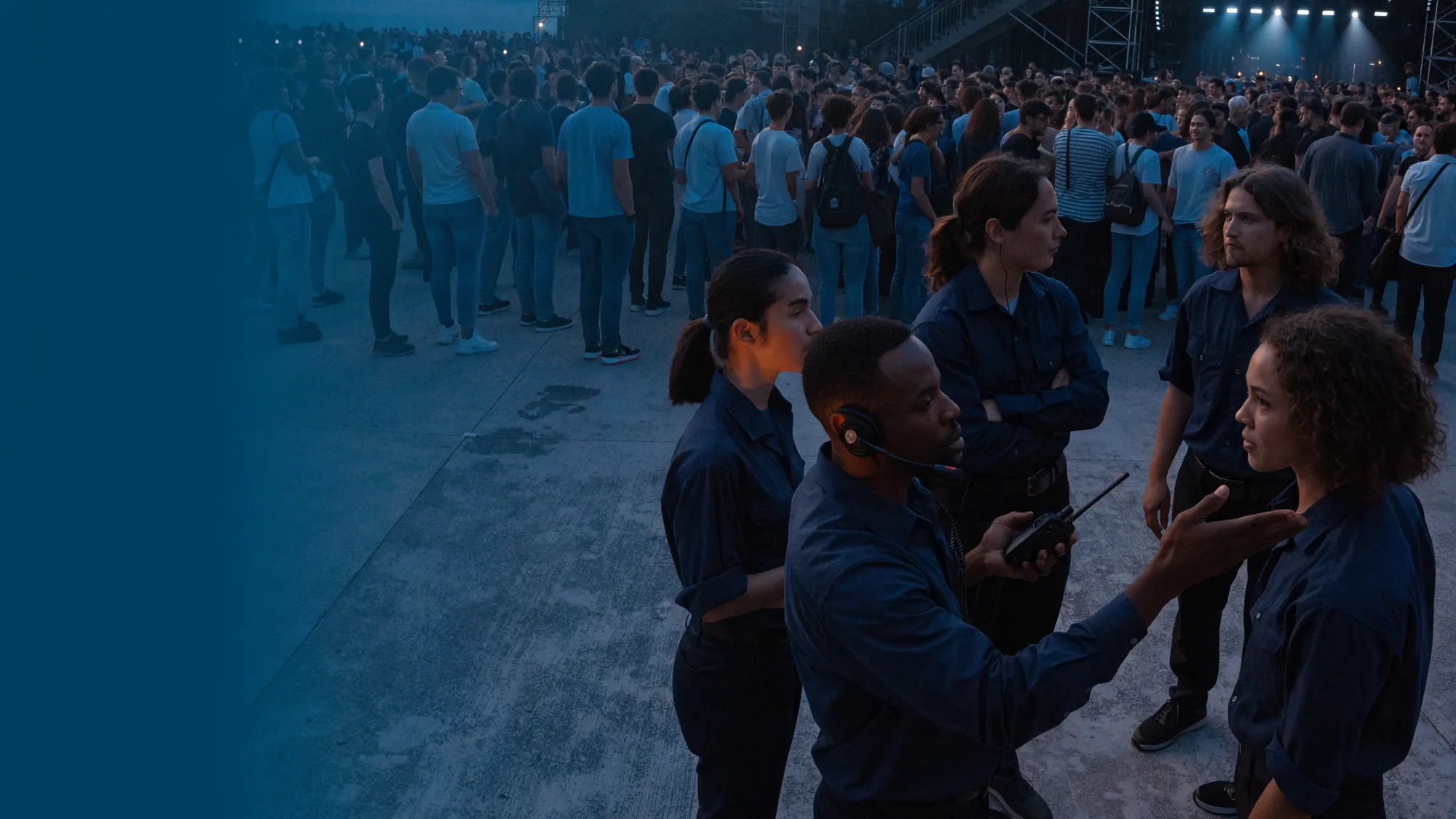
Event staffing software that follows the call sheet.
TempGuru helps event staffing agencies keep venue orders, role briefs, worker responses, assignment decisions, attendance exceptions, and client-approved time in one operational record. Available workflows vary by plan and configuration.
Quick answer
Event staffing software should connect the run of show to the worker record. A useful system captures the venue, zone, role, call time, release rule, briefing, attendance exception, approved hours, and client decision without asking the agency desk to rebuild the story from texts.Answer for agency software buyers
01Scope
What should event staffing software capture before worker outreach begins?
An event order is a timed operating plan, not a headcount with an address.
Start with the moment the client cannot move: doors, registration opening, load-in, a session change, or guest arrival. Then record the staff call, check-in point, venue zone, role count, release instruction, attire, parking route, break coverage, and the person allowed to approve changes. A platform that begins with “twenty staff” has already lost the useful part of the brief.
The order should also separate public-facing work from physical work. Registration staff may need badge-system instructions. Load-in crew may need a dock contact and lifting limits. Ushers need an assigned entrance and escalation path. Those fields give an agency a defensible brief and give workers something clearer than a group text sent before sunrise.
Buyer test
Build one order with two call times, three venue zones, and different release rules. If the demo flattens it into one shift, keep looking.
02Changes
How can an agency control late event changes without losing the approved scope?
Event clients revise plans. The record needs to show which revision became work.
Treat each change as a dated instruction tied to an authorized requester. A new VIP entrance, an added sponsor booth, or a later strike can change role counts and hours. The desk should see the prior version, the person who approved the update, the workers affected, and whether the new instruction reached them. Silent overwrites are tidy until the invoice is questioned.
Good change handling also distinguishes acknowledgement from acceptance. A worker seeing a revised call time does not mean the worker accepted it. The agency needs a response state and an exception queue. TempGuru can support order communication on eligible plans, but the agency decides who may edit scope and which confirmation standard applies.
Keep separate
Client request, agency approval, worker notice, and worker acceptance are four events. They should not share one checkbox.
03Matching
Which worker details matter for registration, guest services, and event load-in?
“Event staff” is a billing category. It is not enough information to make an assignment.
Role records should describe the actual work. Registration may call for prior badge-platform use, accurate name handling, and a calm response to line pressure. Guest services may require wayfinding knowledge, accessibility instructions, or a language requested by the client. Load-in can involve long carries, carts, dock rules, and a hard handoff to production. The matching screen should expose those differences before a dispatcher contacts anyone.
Experience belongs beside current availability and event-specific instructions, not above them. A worker who handled a convention last year still needs this venue’s call sheet. A ranking or recommendation can narrow a list when configured, but agency staff remain responsible for screening, assignment, and the final communication.
Useful profile
Store role evidence in plain language: what the worker did, where they did it, and which parts of that experience apply to this order.
04Time
How should event check-in and time exceptions reach payroll and billing?
A punch is evidence. It is not the whole shift story.
Capture scheduled time, reported arrival, actual start, breaks, release, and the reason for any manual edit. If geofence or selfie capture is enabled, test the boundary at convention centers, stadium service corridors, and underground docks. A missed location signal needs a documented exception path. It should not quietly turn into an unpaid hour or an unreviewed client charge.
Before invoice preparation, route exceptions to the people who know what happened. A venue lead can confirm a moved check-in point. The client can approve an authorized extension. The agency can correct a duplicate punch while preserving the original entry. The resulting record should support payroll review and client billing without pretending software settled a disputed fact.
Audit trail
Keep the original punch, the correction, the reason, the reviewer, and the approval time. Clean data should still show its history.
05Crowds
What should software record for event crowd plans and emergency roles?
The staffing platform can distribute a plan. It cannot write the venue’s safety plan for them.
OSHA’s crowd-management guidance recommends advance planning, trained personnel, visible entrance and exit information, assigned worker locations, and an emergency plan for large gatherings. For an agency, the practical software fields are the assigned zone, supervisor, radio channel, evacuation instruction, emergency contact, briefing version, and worker acknowledgement. The client or venue still owns decisions that depend on its site, permits, public-safety agencies, and hazard assessment.
Use the OSHA Crowd Management Safety Guidelines as a buyer prompt, not a product badge. Ask whether the system can show who received the current plan and which positions remain unbriefed before doors.
Boundary
Software can carry assignments and acknowledgements. Qualified site operators decide the crowd plan and the training required for that event.
06Records
How can event staffing software support wage records without deciding legal compliance?
The system should preserve facts. The employer applies the rules for the worker and jurisdiction.
The U.S. Department of Labor says covered employers must maintain identifying information plus accurate records of hours worked and wages earned, while allowing employers to choose the timekeeping method. That makes complete exception handling more valuable than a polished punch screen. Review the required fields and retention periods in Wage and Hour Division Fact Sheet 21.
TempGuru does not turn a staffing agency’s workflow into a legal conclusion. The agency and its advisers determine classification, pay treatment, breaks, overtime, retention, and local requirements. During a demo, ask how data exports work, which edits remain visible, and how separate workweeks or event extensions are represented.
Procurement note
Buy the recordkeeping controls you can test. Do not buy a broad compliance adjective that cannot be demonstrated field by field.
07Demo
What should an event agency prove during a staffing software demo?
Bring the order that made your team stay late. A perfect sample proves very little.
Use a real event with overlapping calls, separate zones, one credentialed role, a client change, a late worker, a manual time correction, and a final signoff. Ask the presenter to move it from intake to invoice preparation. Count the duplicate entries and note which decisions require a person. Then repeat one step on a phone with the permissions a field lead would actually have.
Review current staffing software plans only after the workflow fits. Agencies considering ranking or report tools can also read TempGuru’s AI workflow page. Feature availability and integrations can differ by plan and setup, so put required behavior in the implementation scope.
Decision rule
A useful demo ends with an approved event record. A tour that never leaves the dashboard is still a tour.
SourcesOfficial references
Official sources and verification
Use this federal guidance to test whether assignments, locations, worker briefings, and emergency-plan acknowledgements can be recorded without implying that the platform designed the plan.
Use the listed time and wage records as a field-level checklist. Confirm export, retention, correction history, and access controls with your payroll adviser.
FAQBuyer questions
Buyer questions for event staffing software
What is event staffing software for an agency?
Event staffing software is an operations system for turning a venue brief into role-specific outreach, assignments, attendance records, approved hours, and billing support. The useful unit is the event shift within a zone, not a candidate sitting in a recruiting pipeline.
Can event staffing software handle several call times at one venue?
Event staffing software should. Test registration, guest services, load-in, and strike as separate shifts with their own check-in points, supervisors, release rules, and worker confirmations. A single blended schedule makes day-of changes harder to trace.
Does geofence check-in prove that an event worker completed the shift?
No. Location capture can support an arrival record when configured, but signal quality, moved entrances, breaks, early releases, and manual corrections still need review. Pair the punch with exception notes and client-approved actual hours.
Does TempGuru promise that every event shift will be filled?
No. Software can organize outreach and assignment decisions, but worker availability and acceptance still matter. Agencies should measure response, confirmation, arrival, replacement attempts, and final coverage as separate operating facts.
What event staffing data should an agency migrate first?
Start with active clients, upcoming orders, current workers, role evidence, pay and bill configurations, open exceptions, and the templates used for calls and briefings. Archive old records under a written retention plan instead of importing noise into day one.
Agency event operations · For staffing agencies
How should an event staffing agency test scheduling software?
Build one realistic order, then change a venue zone, call time, worker, approver, and time record. Confirm who can make each change, what the client and worker receive, whether the prior value remains visible, and how approved time reaches payroll and billing. A clean demo path is not enough. Test the exceptions.
Compare the client, worker, order, time, payroll, and billing records your agency needs to manage. TempGuru software is available to partner and non-partner staffing agencies in the United States and Canada.
Continue the agency workflow review
Set AI review boundaries Separate drafting and decision support from actions that affect workers, clients, pay, or assignments.
Price the tested event workflow Include messaging, mobile access, integrations, implementation, support, and data exit in the comparison.
Inspect the product record flow Follow the order from client intake through schedule changes, approved time, and invoice preparation.
Bring one real workflow, its exceptions, and the evidence your team needs to retain.